How to calculate sales tax and add it to the total amount?
Charging sales tax on a Google Form means doing the sum yourself, because the form has no order amount to take a percentage of. Each response needs the tax worked out and the total sent to the customer, and over many orders a mistake is easy to make. In Neartail, you add a Tax field with your rate, such as 7%, and your Google Form shows the order amount, the tax and the amount to pay while the customer orders. The same figures are on the order you receive.
Let's start. Create your order form and follow the steps below.
How to calculate the taxes based on order amount?
- On the page that opens, click Enter your form name, type your form's name and click Generate.
- Check the outline it suggests and click Proceed. Your form opens on the Edit tab.

Your form comes with products, an Order Amount question that adds up by itself and an Order Quantity question.
If you know the tax rate you charge, add it here. If you don't, check it with your accountant. Let's say the sales tax is 7%.
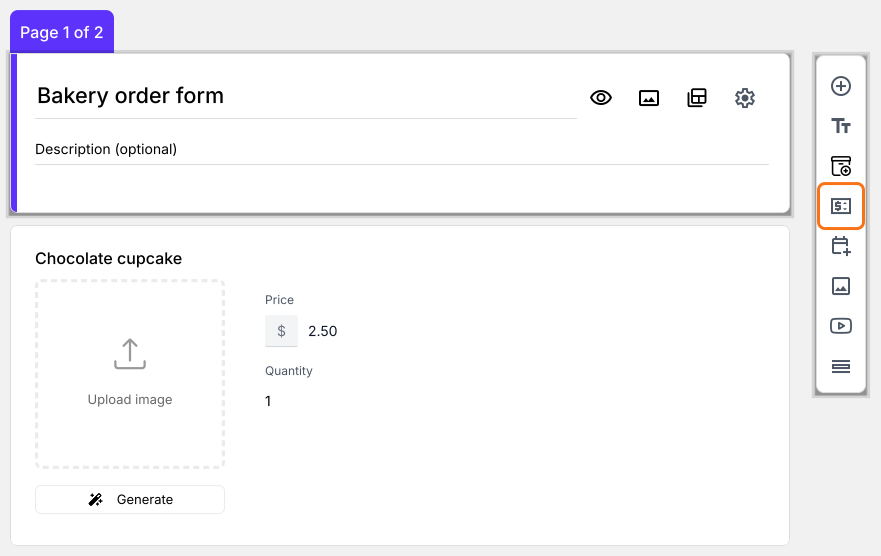
- Click on the Order Quantity question, then click Add price field in the toolbar on the right
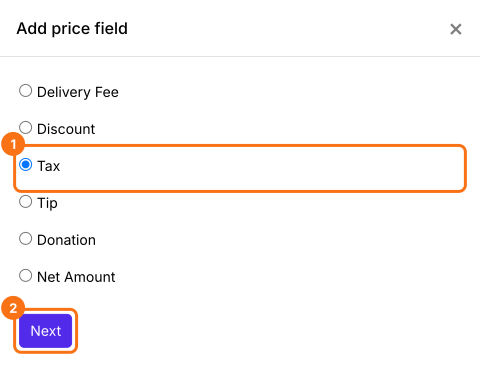
- Select Tax and click Next
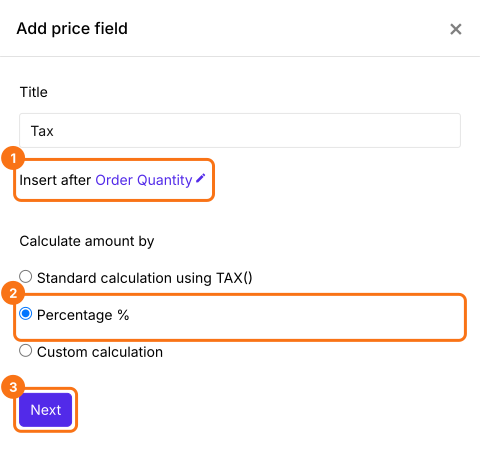
- Select Percentage % and click Next
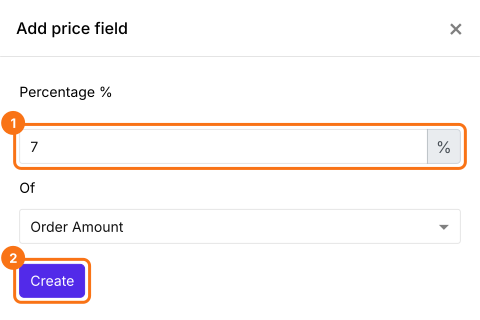
- Enter 7, check that Of says Order Amount and click Create
- Click Save
How to calculate the total amount including taxes?
Add a Net Amount price field. It adds the Tax by itself. Your customers pay the Net Amount.
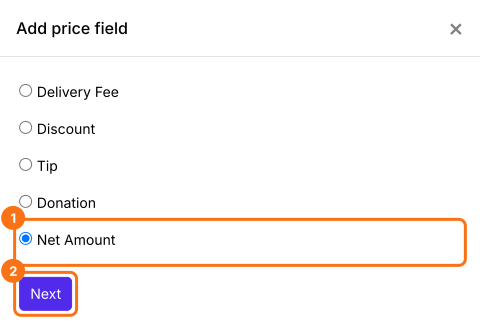
- Click on the Tax question, then click Add price field. Select Net Amount and click Next
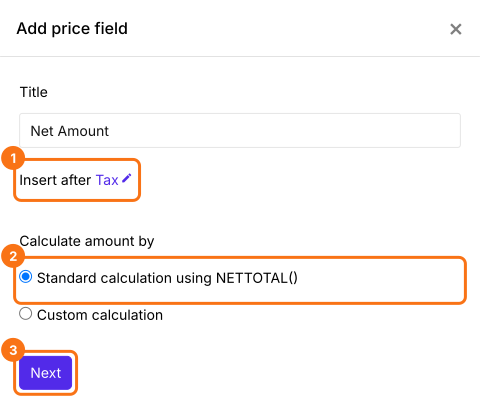
- Select Standard calculation using NETTOTAL() and click Next
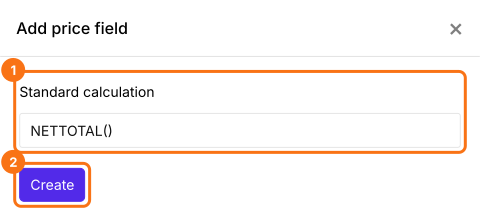
- Click Create
- Click Save
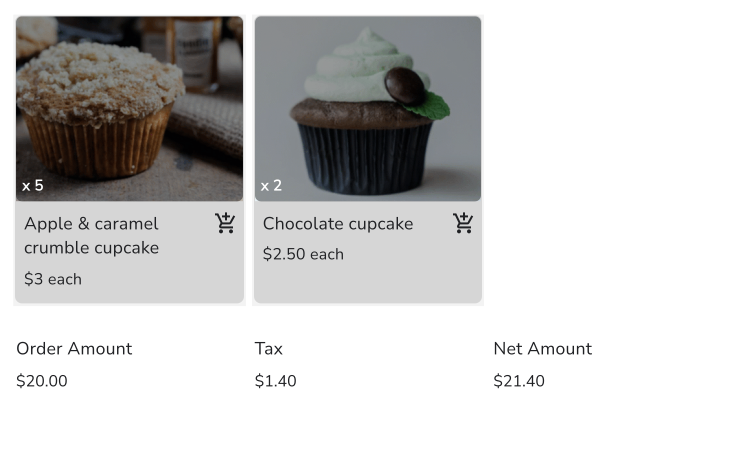
Your customers will see the Order Amount, the Tax and the Net Amount to be paid as they order. Your customers pay the Net Amount.
Summary
A Google Form can't work out tax, because it has no order amount. With Neartail, you add a Tax field with your rate and a Net Amount, and the form shows the tax and the total to pay as your customers order. Create your order form and complete the steps above. If you have any questions, write to support.
Last updated: