How to Create a Google Order Form
"the customer can see the product and the price together in the form"- Google Docs Editors Community
You can make an order form in Google Forms: a checkbox or a grid for your products, a quantity for each, a few questions for the address. What you can't make it do is add up. 47 people on Google's forum have asked how to put a price list in a Google Form. Customers pick and submit without seeing what they owe, the form can't take payment, and every response leaves you working out a total and messaging it back. A Sheet shared as an order form adds up, but each customer needs their own copy. Neartail gives a Google Form prices, a quantity for each product, a total and an order summary on one page, and sends the customer a confirmation.
Below are three ways to take orders with Google Forms or Sheets, and where each one falls short.
Option 1: A plain Google Form
- Add a Checkboxes question with your products, or a Multiple choice grid with your products as rows and quantities as columns
- Put each price in the product's name, such as Cupcake $3
- Add Short answer questions for the name, phone and address
Option 2: An order form in Google Sheets
Option 3: An order form with Neartail
Step 1: Create an online order form
- On the page that opens, click Enter your form name, type your form's name and click Generate.
- Check the outline it suggests and click Proceed. Your form opens on the Edit tab.

- ADD PRODUCTS AND PRICES: Your form comes with products and prices
- To change the currency, click on the ⚙️ icon in the last After page row above the Submit button, change Currency and click on Save
- To add another product, click on the product before it and click Add product in the toolbar on the right. For example, "White Mushrooms 250g pack"
- (Optional) Add images of your products with Upload image on the product
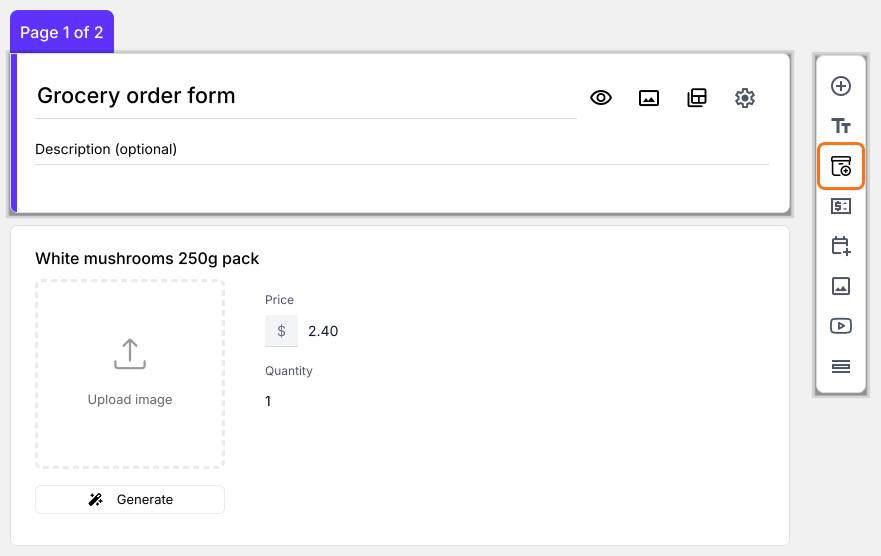
- Delivery details: Your form already asks the customers delivery details, like their name, phone number and address, under Contact Details
- Order Summary: Your form already has an Order Amount question that adds up by itself and a Review and place order section that shows the bill
Step 2: Preview & test the form and its calculations
- Click SHARE, click Link and click Open
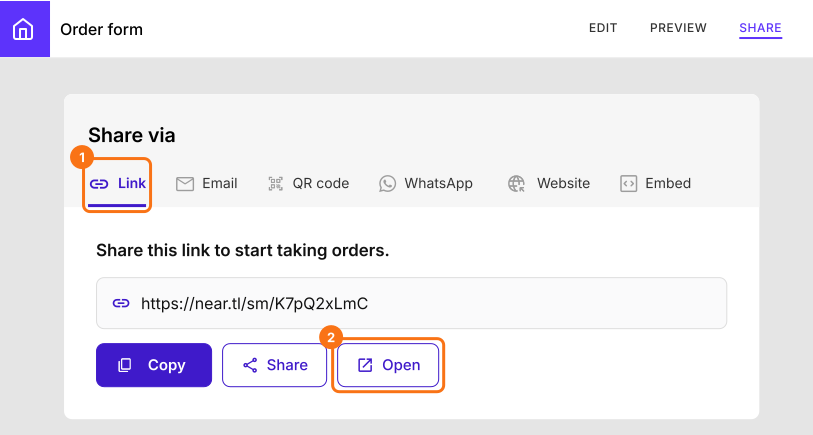
- Pick some products and change the quantities. The bill and the Order Amount change as you do
- Fill in your details and click Submit. The order appears in the ORDERS tab
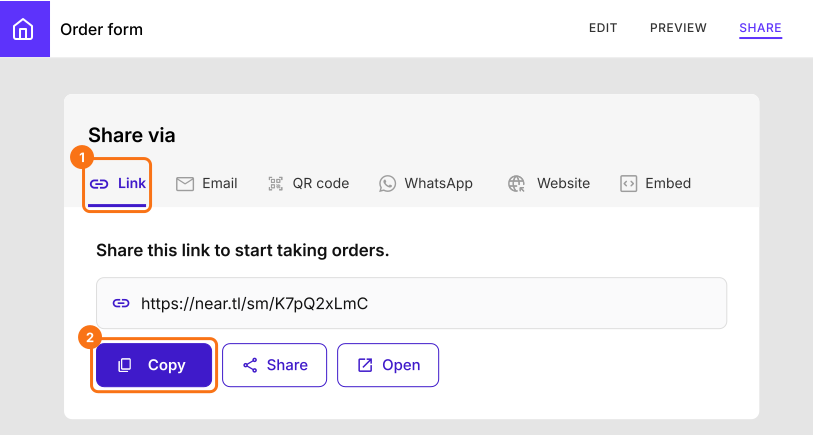
Share your Google Order Form with your customers
Summary
Last updated: