How to receive an email notification for new responses?
"so he is able to get email responses of all orders submitted"- Google Docs Editors Community
When orders come in through a form, you want to know right away what was ordered and where it goes. Google Forms can email you that there's a new response, but the email doesn't show the answers, so you open the form every time. With Neartail, you get an email for each new order with the products, or the whole order with the customer's contact and delivery details. You can put answers from the form in the subject line too, so each order is easy to find in your inbox.
Let's start. Create your form and follow the steps below.
Set up the email
- On the page that opens, click Enter your form name, type a name and click Generate.
- Check the outline it suggests and click Proceed. Your form opens on the Edit tab.
- If it asks "Do you want to collect payment on form submit?", click No.
- Click Orders.

- Click Kanban board.

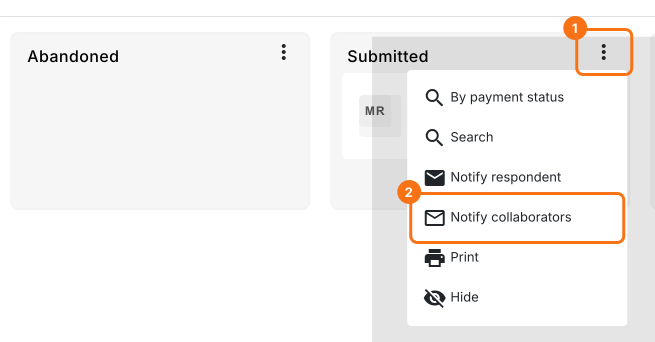
- Click the ⋮ icon next to the Submitted status and click Notify collaborators.
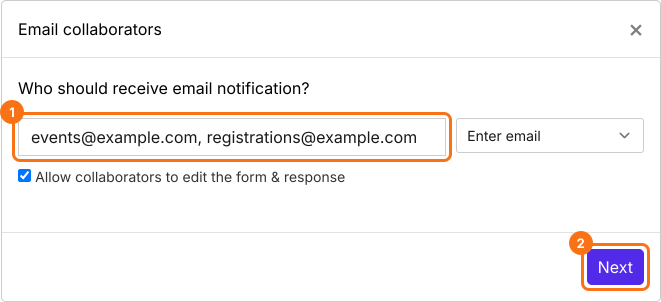
- Enter your email address and click Next. To tell more people, enter several addresses or a group address, separated by commas.
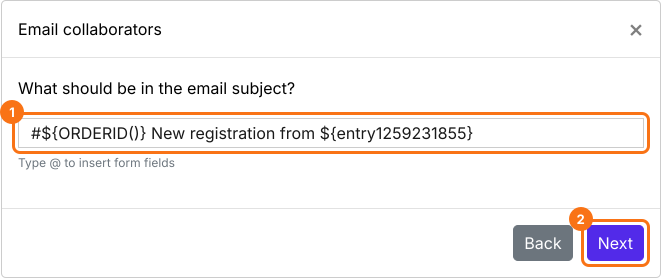
- Type a subject, or put answers from the form in it as below, and click Next.
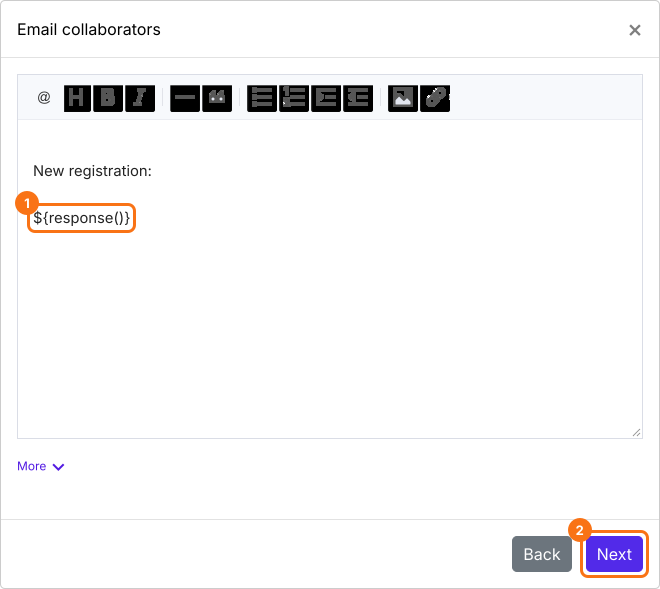
- The message starts with all the answers. Change it if you want, as below, and click Next.
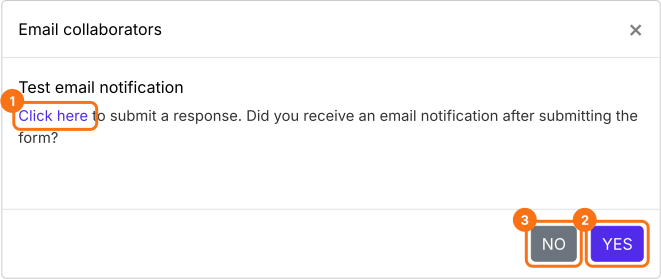
- Click "Click here", submit a test order and check your inbox. If the email arrived, click YES. If not, click NO.
When it says "You are all set!", you get this email for each new order.
Summary
If you need to know as soon as an order comes in, the email from Google Forms doesn't show the answers. With Neartail, you get an email for each new order and choose whether it lists the products or the whole order. Create your form and complete the steps above.
Last updated: