How to use your own domain for your website?
"I can't add custom URL to my Google Sites"- Google Sites Community
Connecting a domain you bought is where many people get stuck: 118 people on Google's forum have said they can't add a custom URL to their Google Site. A Google Form's link is long and says google.com, and Google Forms has no setting for your own address. Google Sites has one, but it works only after you change DNS records at the company you bought the domain from. With Neartail, you create your website from your order form, then email support with your domain and support connects it. Customers open your own address and click Order Now.
Let's start. Create your site and follow the steps below.
1. Create your website
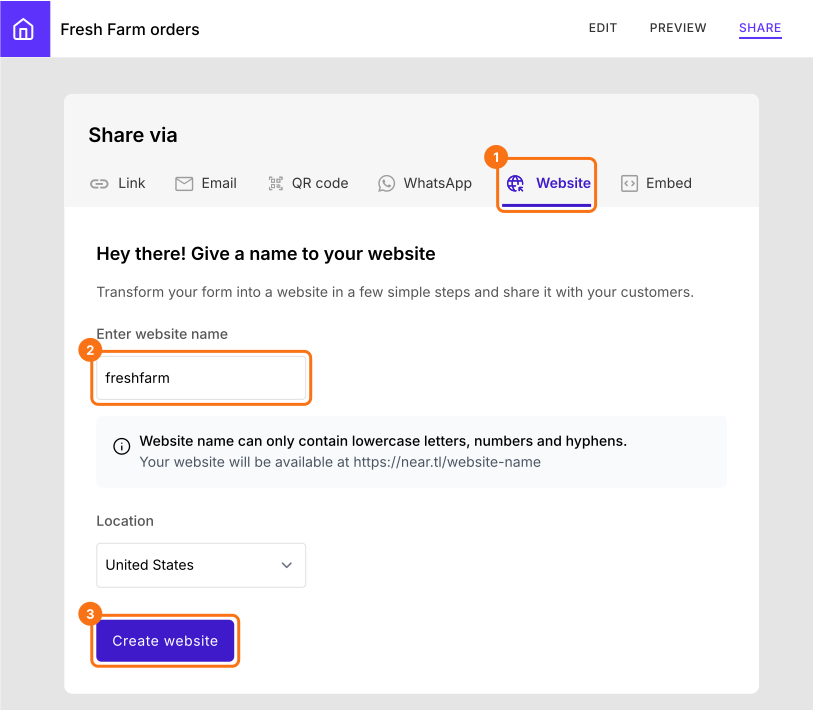
If you created your site with the link above, it will say "Your website is live" and you can go to the next step. Otherwise click Create a new form, type its name, click Generate, then Proceed. If it asks "Do you want to preview this form?", click No. If you already have a Google Form, click Import Google Form, paste its link, select your currency and click Continue. When it says "Your order form is ready", click Preview your form, then Edit form. Then click SHARE, then Website. Type a name of at least 8 characters, choose your Location and click Create website.
2. Email support with your domain
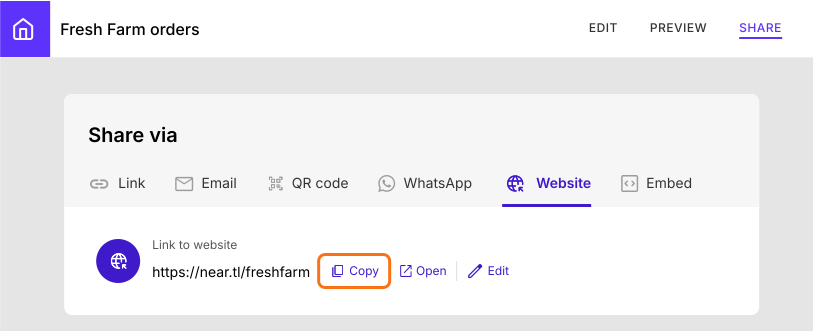
Copy your website's link, from "Your website is live" or under Link to website. Send it with the domain you own to support@neartail.com or use Contact support on your dashboard.
3. Customers order at your own address
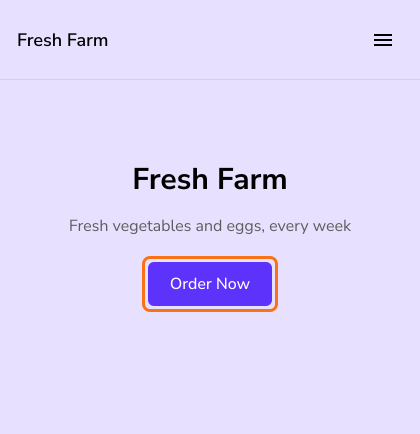
Custom Domain comes with the Standard, Premium and Enterprise plans. Once support connects it, customers open your domain and click Order Now.
Summary
To have customers order at your own address, Google Forms has no setting and Google Sites needs DNS changes that many people get stuck on. With Neartail, you create your website and email support to connect your domain. Create your site and complete the steps above. If you have any questions, write to support.
Last updated: