How to calculate the age based on date of birth entered by the user?
Membership, admission and registration forms often need a person's age as well as their date of birth. Google Forms can collect the date but can't work out the age, so either you ask for both and get ages that don't match the dates, or you calculate them later in a sheet. With Formfacade, you write a TODAY and DIFF formula in the Calculate option of an Age question, and the form shows the age as soon as someone enters their date of birth. The age is saved with the response, so it's already there when you sync to Google Sheets.
Create your form and follow the steps below.
Instructions to calculate age
- On the page that opens, name your form, click Build form and click Proceed.
- Click on the "Edit" tab.

- Click on the + icon (Add field) in the toolbar on the right.
- Enter "Date of birth" as the question and select Date in the question type list.
- Click on the + icon again.
- Enter "Age" as the question. It is already a Short answer.

Click on the ⚙️ icon at the bottom right of the Age question.
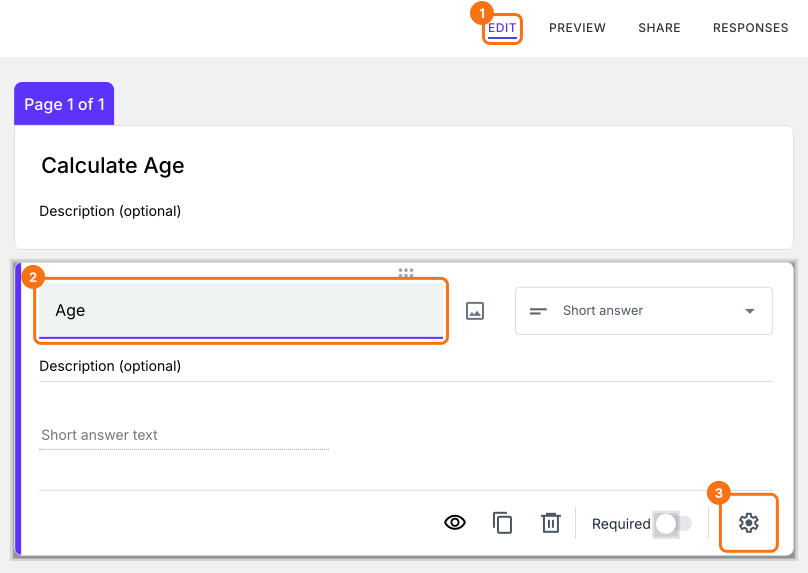
Select the "Answer" tab.
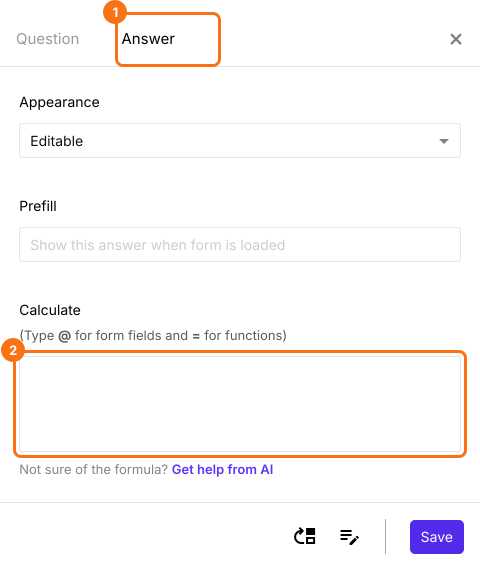
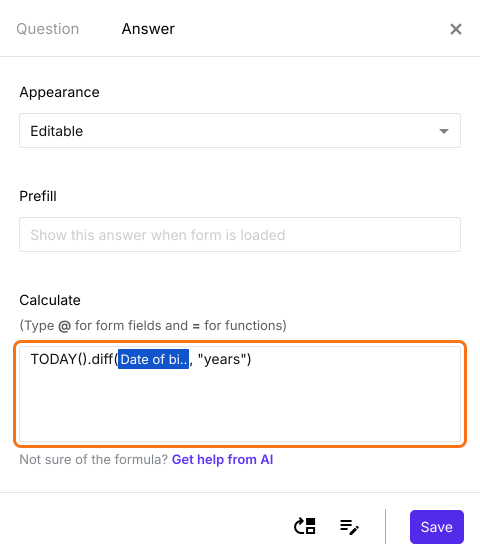
Use DIFF and TODAY function to calculate age
Diff function calculates the number of seconds, minutes, hours, days, months or years between two date or date & time questions. Since we want to calculate the age, we will use years as the unit.
TODAY().diff(date_of_birth, "years")
Note: To enter date_of_birth, type @ in the calculate option and select the date of birth question from the list.
Write the formula in the Calculate option for age question as shown below. Click Save.
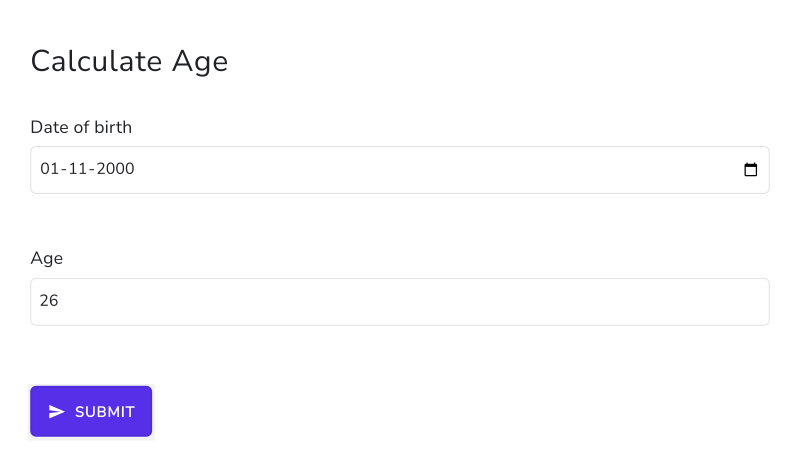
As soon as the user enters the date of birth, the form shows the age.
Summary
If you need the age from a date of birth, Google Forms cannot calculate it. With Formfacade, you can write the TODAY and DIFF formula in the Calculate option and the age will be displayed as soon as the user enters the date of birth. Create your form and complete the steps above. If you have any questions, write to support.
Last updated: