How to receive Google Forms responses in WhatsApp on mobile
"a WhatsApp chat where all the information is captured and you just click send"- Google Docs Editors Community
A form you share on WhatsApp gets filled in on a phone, with WhatsApp a tap away. What people on Google's forum ask for is the next step: submit the form and land in a WhatsApp chat with the answers already in it. Google Forms doesn't connect to WhatsApp, so the response stays in the form until you go and read it, and you start a new chat to reply. With Neartail, you set your WhatsApp number on the form. When someone submits it on their phone, WhatsApp opens with their response written out to your number. They press send, and you have their number and their answers in one chat.
Let's start. Create your form and follow the steps below.
How to send responses to your WhatsApp?
- On the page that opens, click "Enter your form name". Type your form's name and click Generate.
- Check the outline it suggests and click Proceed.
- You land on the form's "Edit" tab. If it asks "Do you want to preview this form?", click No.
- If you imported a Google Form, it makes a copy of your form. If it says "Your form is private or protected", click Next and give access or publish your form in Google Forms and paste that link. Select your currency and click Continue. When it says "Your order form is ready", click Preview your form, then Edit form.

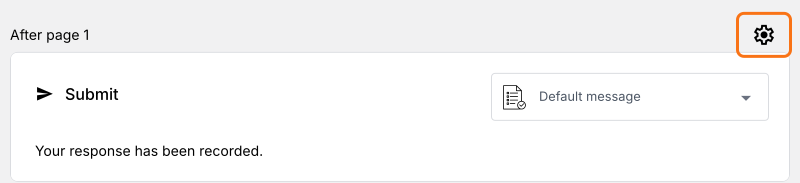
- Click the gear icon in the last After page row, above the Submit button. Your form doesn't send responses to WhatsApp until you set your number here.
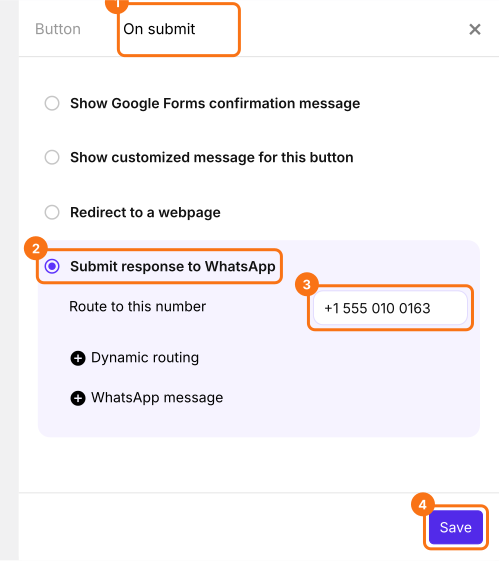
- Click On submit and select Submit response to WhatsApp.
- Under Route to this number, enter your WhatsApp number with your country code and click Save.
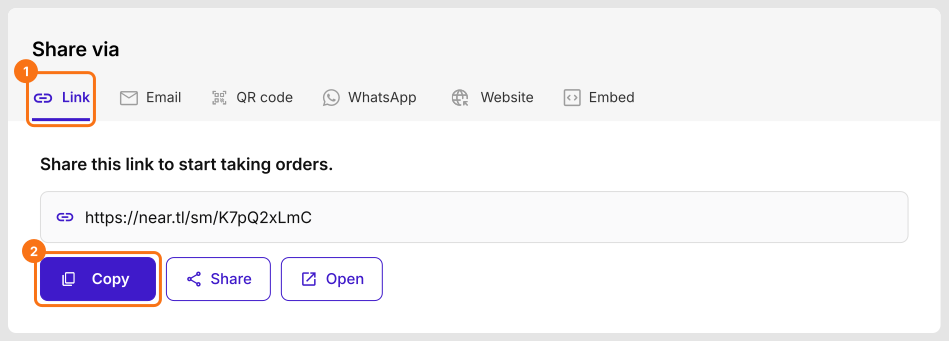
- Click the Share tab, click Link and copy the form link. This is the link people will open.
How to use Neartail Google Forms on your phone?
When someone fills in the form on their phone and clicks Submit, WhatsApp opens with their response written out to your number. They press send.
- Open the form link.
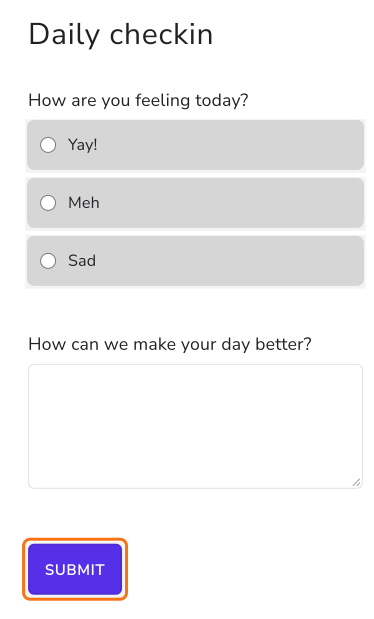
- Fill in the form and click Submit.
- WhatsApp opens with the response written out as a message to the form's owner.
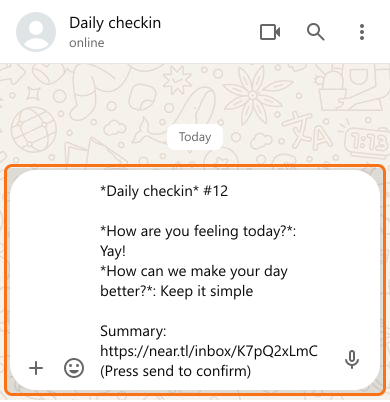
- Click Send.
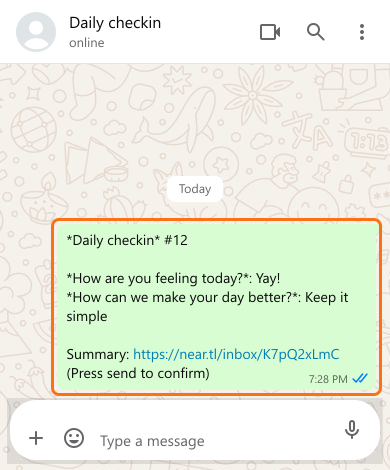
Summary
Google Forms can't send a response to WhatsApp, so responses wait in the form and you start a new chat to reply. With Neartail, submitting the form on a phone opens WhatsApp with the response written out to your number, and the person presses send. Create your form and complete the steps above. If you have any questions, write to support.
Last updated: