How to enable email notifications for new orders?
Google Forms can email you when a response comes in, but the email only says there's a new one. To see what was ordered you open the form every time, which is slow when you need to start preparing straight away. With Neartail, Notify collaborators sends you an email for each new order with what was ordered, and it can include the customer's contact and delivery details. You can add your team's addresses so they get it too.
Let's start. Create your order form and follow the steps below.
How to send notification emails to collaborators?
- On the page that opens, click Enter your form name, type your form's name and click Generate.
- Check the outline it suggests and click Proceed. Your form opens on the Edit tab.

- Click on "Orders" tab

- Click Kanban board, click the ⋮ on Submitted and select Notify collaborators
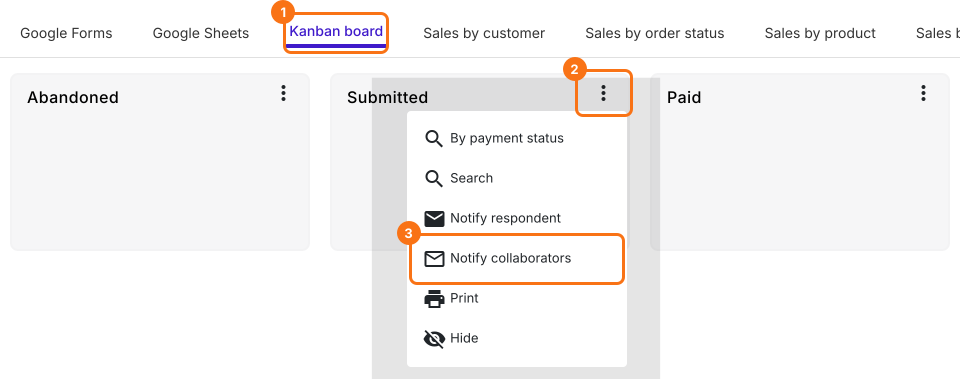
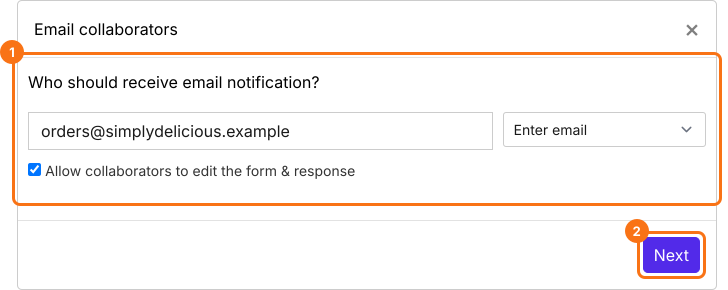
- Enter the email address. To notify several people, enter a list of email addresses or an email group, separated by commas. Untick Allow collaborators to edit the form & response if they should only read the orders, then click on the Next button.
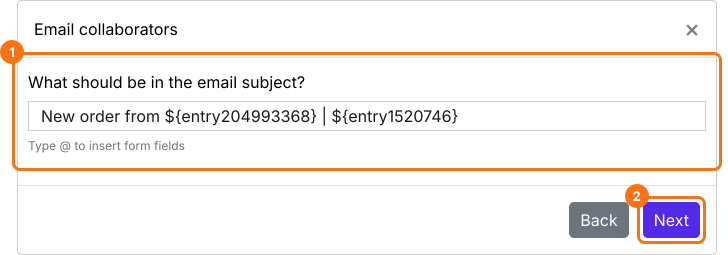
- Configure the subject line for this notification email. You can enter a simple static subject line or you can use the form fields to personalize the subject as shown in the screenshot below. Then click on the Next button.
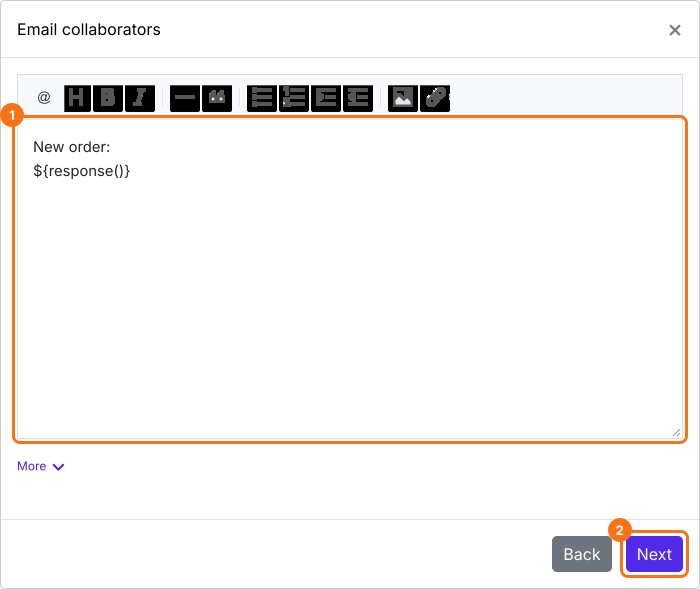
- By default, all the answers will be included in the email. You can customize this message as per your requirements as shown below. Then click on the Next button.
- Click on "Click here" and submit a test response to check if the email notifications are working. If it works, click on the YES button. Otherwise, click on the NO button.
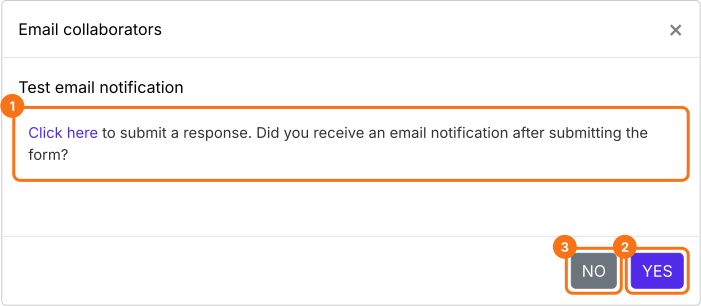
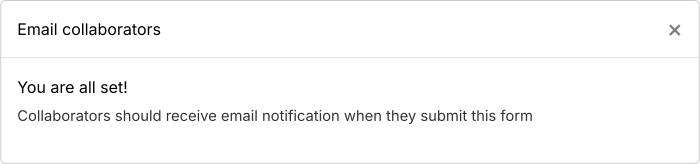
If the test is successful, the people you entered will receive the notification email for new orders.
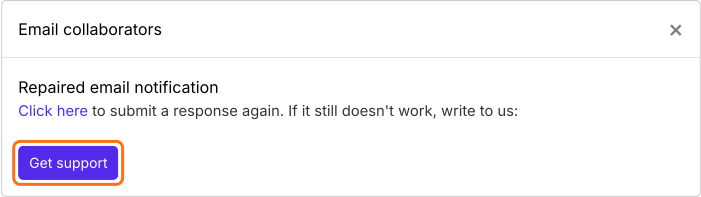
If the test email notification doesn't work, you should click on the NO button and it will automatically try to fix the email trigger. You can submit another test response to check if the email notification works. If you still face any issues, you can get in touch with our support team.
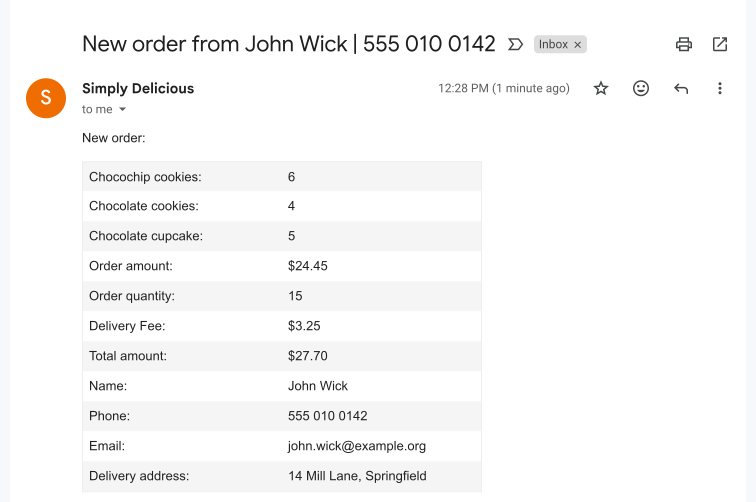
You get an email with the products ordered and the delivery details as soon as a customer places an order.
Summary
The response alert from Google Forms doesn't say what was ordered. With Neartail, you and anyone you add get an email for each new order with the products and the delivery details. Create your order form and complete the steps above.
Last updated: