How to add unique products?
"How to limit number of responses to each option in multiple-choices or check-boxes"- Google Docs Editors Community
This is a common question: 415 people on Google's forum have asked how to limit the responses to each option. For an artist or maker, it matters because each painting or handmade piece exists once. Google Forms has no such limit, so two people can order the same piece and one of them gets an apology, and you end up deleting the option by hand after each sale. With Neartail, a unique piece is a product with one quantity choice and a stock of 1. The first order takes it, and the form shows it as out of stock to everyone after. Each piece keeps its own photo, price and description.
Let's start. Create your order form and follow the steps below.
How to add a unique product?
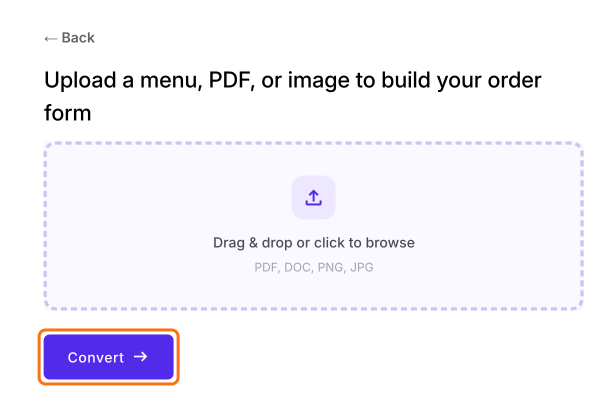
- On the page that opens, upload your menu, a PDF or an image and click Convert. If you don't have one, click Back, click "Enter your form name", type your form's name, click Generate and then Proceed.
- You land on the form's "Edit" tab. If it asks "Do you want to preview this form?", click No.

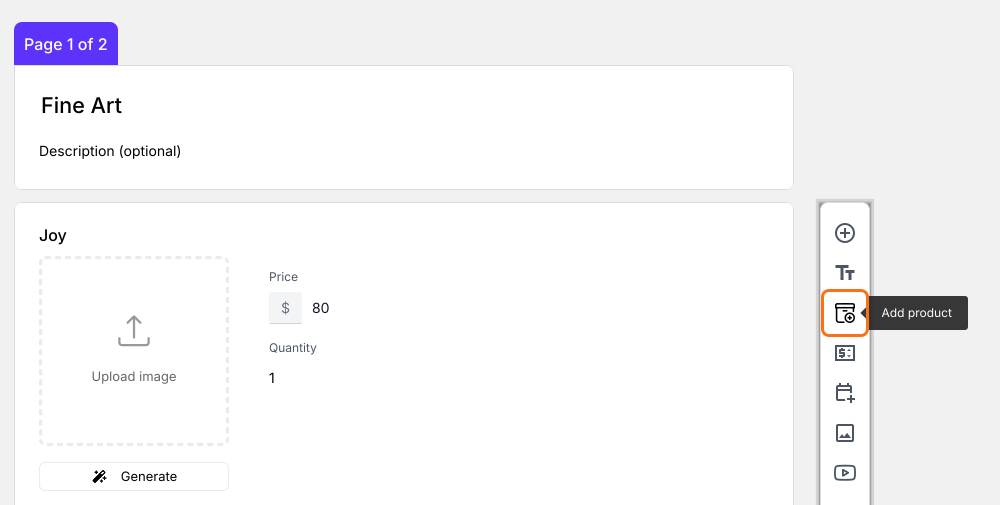
Click Add product. The new product goes after the question you clicked last.
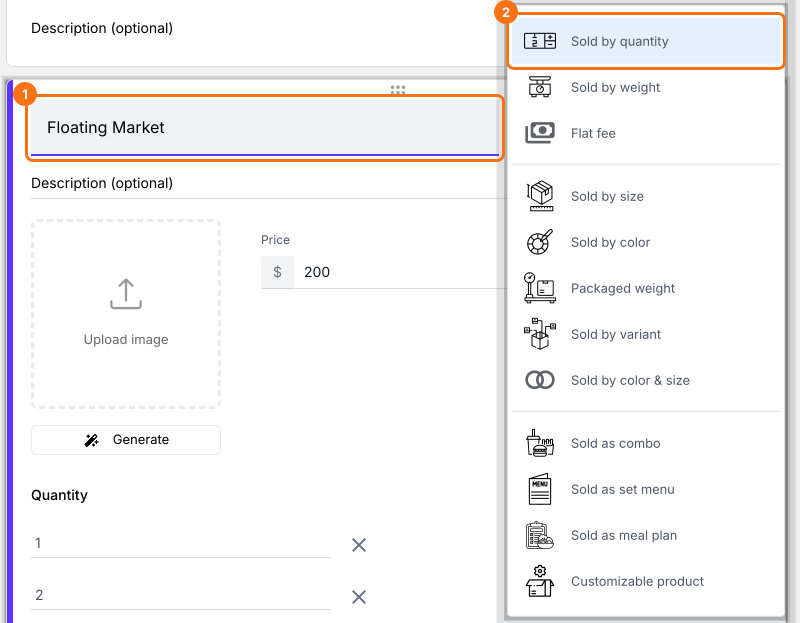
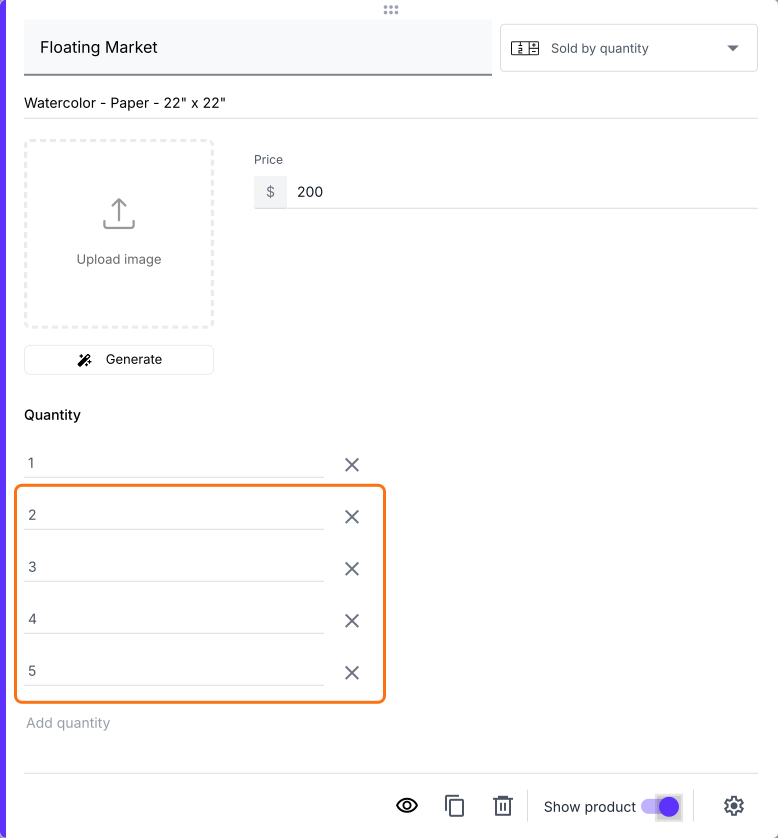
Enter the product name and select Sold by quantity.
Enter the product price, product description and upload an image.
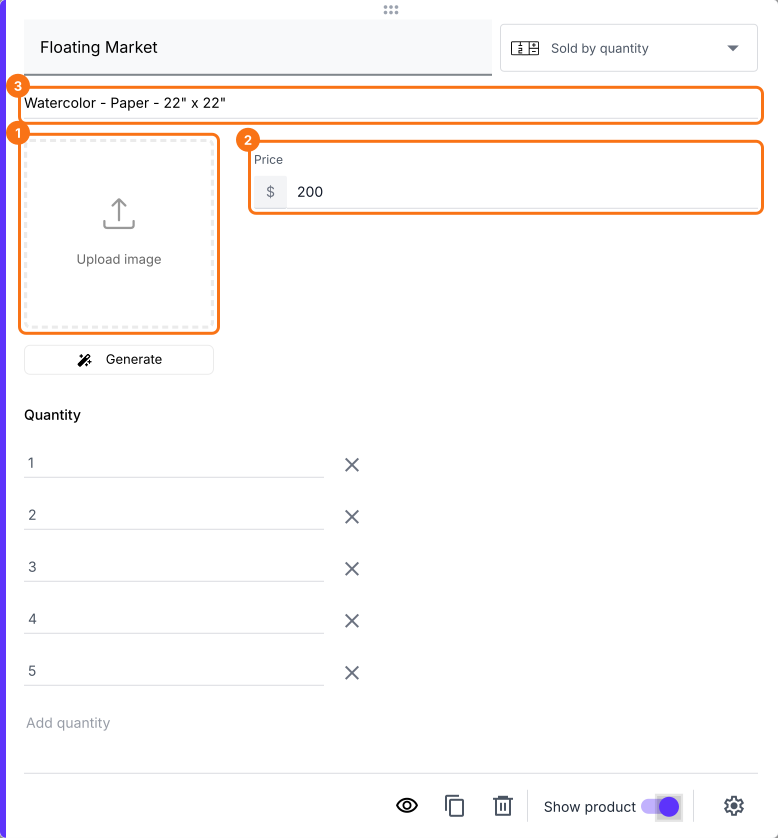
Quantity comes with the choices 1, 2, 3, 4 and 5. Delete 2, 3, 4 and 5.
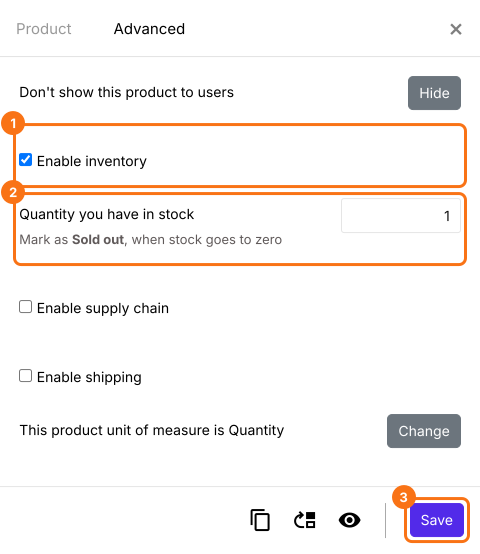
Click Advanced setting, click Advanced, enable inventory, set the quantity in stock to 1 and click Save.
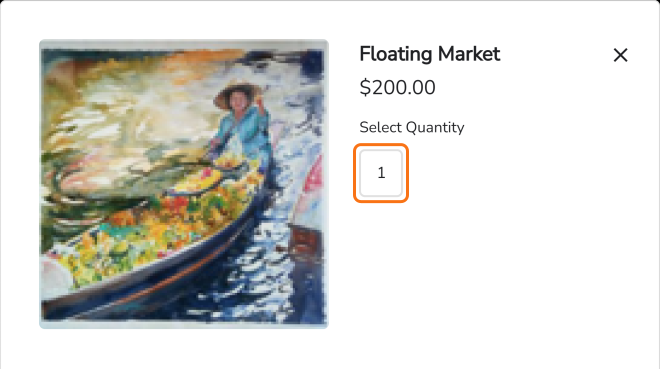
When customers add the piece to the cart, the only quantity they can pick is 1.
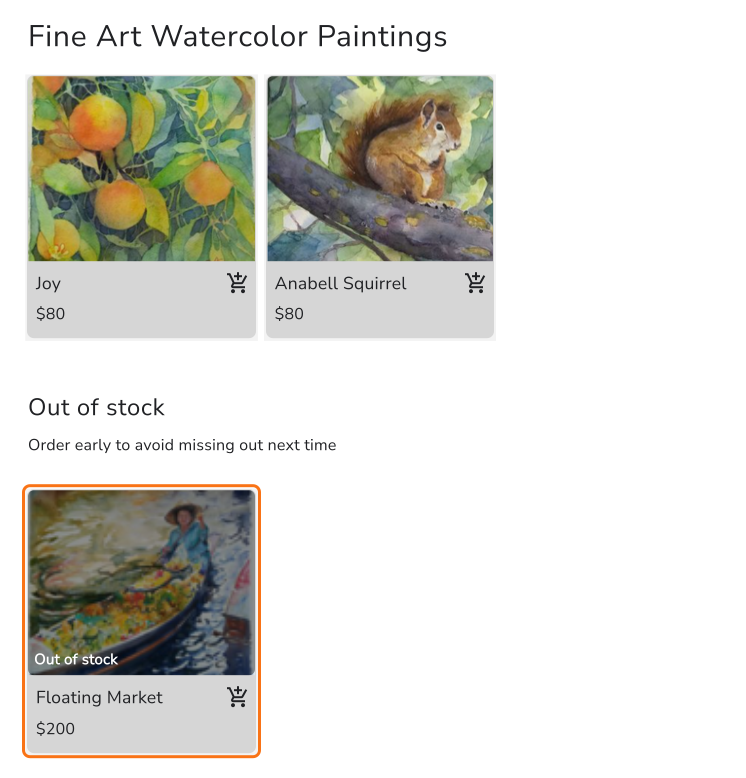
When someone orders it, the form marks the piece as out of stock.
Summary
When each piece exists only once, Google Forms keeps taking orders for it until you remove it by hand. With Neartail, you set the quantity and the stock to 1, so the first order takes the piece and the form marks it out of stock. Create your order form and complete the steps above.
Last updated: