How to create a payment form to collect a fixed amount from each respondent?
"How to add payment gateway in google form for Event registration ?"- Google Docs Editors Community
This is a common question: 674 people on Google's forum have asked how to add a payment gateway to a Google Form for event registration. When everyone pays the same fee, the form only has to collect that one amount, yet Google Forms has no payment step. So the fee and your payment details go in the description, and you check later who has paid. With Neartail, you set the fee once. Each person sees it with nothing to select and pays it when they submit. You pay no commission to Neartail, only the payment company's fee on cards.
Below are three ways to collect the same amount from everyone who fills a Google Form, and where each one falls short.
1. State the fee and your payment details in the form
Write the fee and your bank or wallet details in the form's description. People pay outside the form, whenever they get round to it, and you match each payment to a registration by hand.
2. Link to a payment page after they submit
In Google Forms, click Settings, open Presentation and put a link to your payment page, such as your paypal.me link, in the Confirmation message. People only see it after they've registered, so some registrations never get paid.
3. Collect the fee in the form with Neartail
Neartail adds a payment step to your Google Form, and a Flat fee puts the same amount on every response. This example takes PayPal. Other ways to pay are turned on in the same panel.
- Click Create your form, then Enter your form name. Type a name and click Generate.
- Check the outline it suggests and click Proceed. Your form opens on the Edit tab.

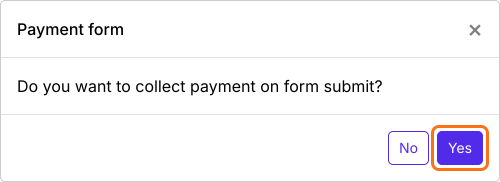
- When it asks "Do you want to collect payment on form submit?", click Yes.
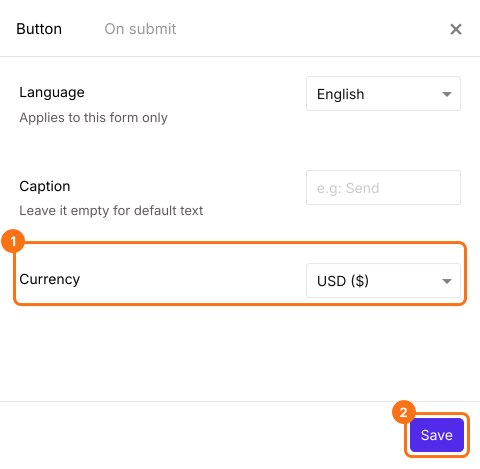
- If PayPal isn't under Manual payments, your form is in a currency PayPal doesn't take. Close the Payments panel, click the gear icon in the After payment row, the last row above the Submit button, select the currency you charge in and click Save. Then click Edit in the Payments row.
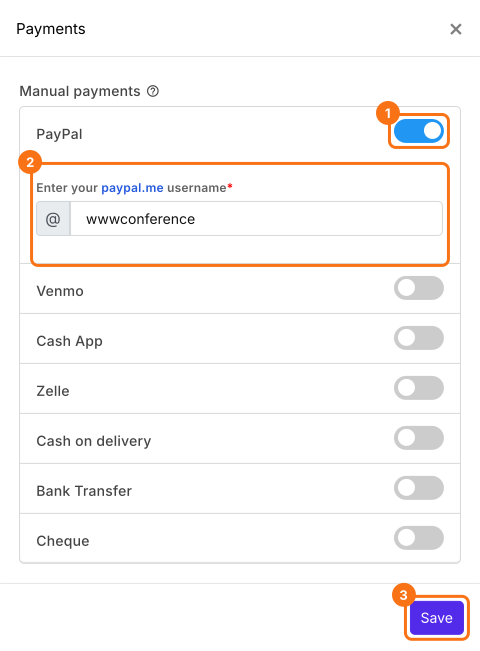
- Under Manual payments, turn on PayPal, enter your paypal.me username and click Save.
Set the fee
- Delete the product cards you don't need with the delete icon at the bottom of each card.
- Click Add product in the toolbar on the right, enter a title such as Event ticket and select Flat fee.
- Enter the fee in Price (Fixed Fee).

- Click Preview and submit the form to try it.

A Flat fee is hidden from the form and added to every order, so Order Amount shows the fee with nothing to select. Each person pays it when they submit. To check each payment, read How to see who has paid in Google Forms?
Summary
When everyone pays the same amount, Google Forms still has no payment step, so payment details in the form or a link after submit leave you matching payments by hand. With Neartail, you add the amount once as a Flat fee and each person pays it when they submit. Create your form and complete the steps above. If you have any questions, write to support.
Last updated: